
Disposable vape pens have become widely popular due to their convenience and ease of use. Designed for simplicity, they are pre-filled, pre-charged, and require no
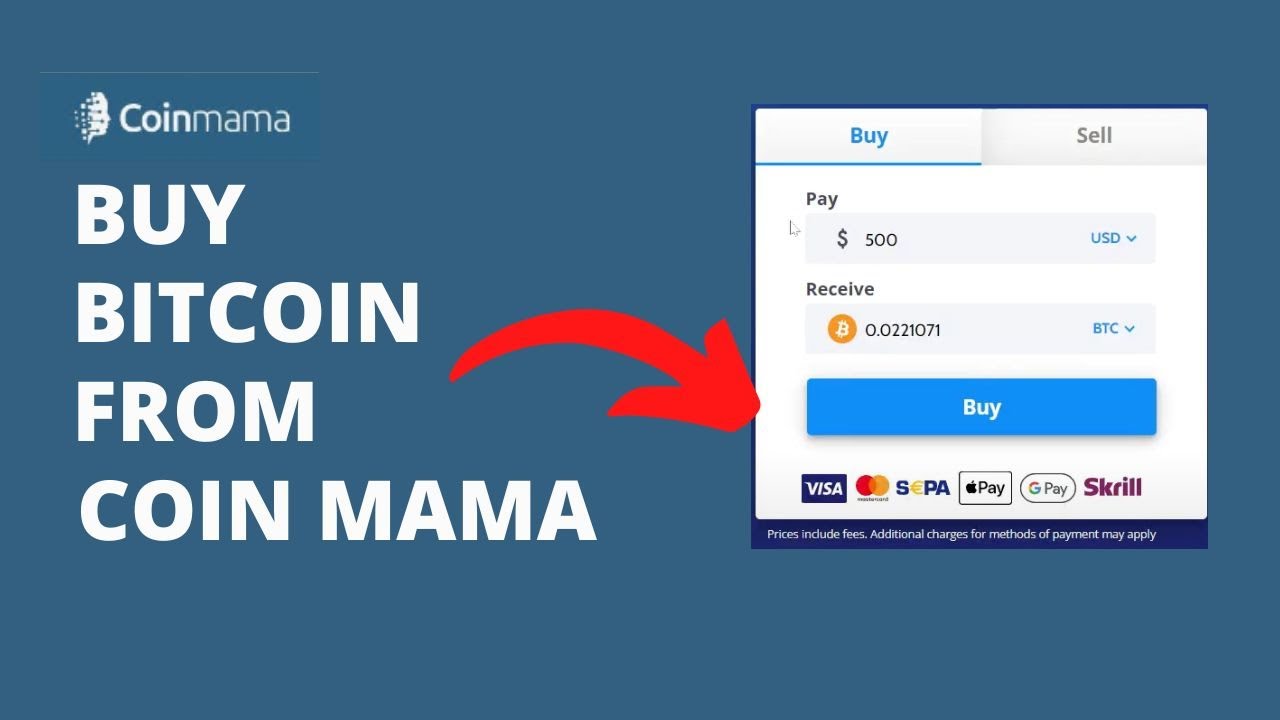
Coinmama is a well-established cryptocurrency broker that allows you to buy Bitcoin quickly with a credit or debit card. It’s known for its high purchase limits and global availability. Since Coinmama is a non-custodial service, it sends the Bitcoin directly to a wallet address you provide, making it a perfect tool for completing your payment.
Don’t forget: Paying with Bitcoin automatically qualifies you for a 10% discount. Apply the code at checkout!
BTC 10% Discount Code: BTC10%OFF (Enter this on your cart page)
Coinmama is a cryptocurrency brokerage service that operates globally, allowing users to buy digital assets like Bitcoin directly with traditional payment methods. A key feature of Coinmama is that it does not hold your funds; instead, it immediately sends the cryptocurrency you purchase to your personal wallet address. This makes the process fast and puts you in direct control of your Bitcoin from the moment you buy it.
(Official site: Coinmama)
Before you begin, please ensure you have the following ready:
A Verified Coinmama Account: You must sign up for an account on the Coinmama website using your full name, email, and a secure password. After signing up, you will need to complete their identity verification process (KYC). This involves uploading a government-issued ID (passport or driver’s license) and may also require a selfie for confirmation. Verification is typically completed within a few hours.
A Valid Payment Method: Have a credit or debit card (Visa or Mastercard) ready. Coinmama also supports bank transfers, but card payments are the fastest method for instant purchases. (Note: Some banks may treat crypto purchases as cash advances, which can incur additional fees. Using a debit card is often recommended.)
Sufficient Funds: Ensure your payment method has enough funds to cover your purchase amount. Be aware that Coinmama’s fees are generally higher than exchanges to cover the convenience of instant card processing.
Our Secure Wallet Address: Because Coinmama sends Bitcoin directly to an external address, you must provide one during the purchase. For a secure and accurate transaction, it is essential to [contact us] to request the correct Bitcoin wallet address for your specific order. You can find our contact details on the checkout page.
Log In: Go to the Coinmama website and log into your verified account.
Initiate a Purchase: On the dashboard, click “Buy” and select Bitcoin (BTC) as the cryptocurrency.
Enter the Purchase Amount: Enter the amount you wish to spend in your local currency (e.g., USD, EUR). Coinmama will display a live quote showing the exact amount of Bitcoin you will receive, including all fees.
Enter the Destination Wallet Address: This is the most crucial step.
Contact us to get the unique wallet address generated for your order.
Carefully paste this address into the field where Coinmama asks for your “Bitcoin wallet address” or “recipient address.”
⚠️ Critical Security Warning: Always copy and paste the address. Manually typing a long Bitcoin address is extremely error-prone and will result in the irreversible loss of your funds. Double-check the entire address after pasting.
Select Payment Method: Choose “Credit/Debit Card” for the fastest transaction. You will be redirected to a secure portal to enter your card details.
Review and Confirm: Carefully review the transaction summary: the total cost, the amount of BTC you’ll receive, the recipient address, and all fees. Only proceed if every detail is correct.
Complete Security Checks:
You may be asked to complete an additional security check, such as providing a selfie.
Your bank will likely trigger a “3D Secure” authentication step, asking for a password or code sent to your phone to authorize the payment.
Finalize the Purchase: Once all checks are passed, confirm the payment. Coinmama will process your order almost instantly.
Delivery and Confirmation: Coinmama will send the Bitcoin directly to the address you provided. The transaction typically appears on the blockchain within minutes. The Bitcoin network will then require 1-3 confirmations (usually 10-30 minutes) before we can process your order.
Once we receive the confirmed transaction, our system will automatically mark your order as paid.
You’ve successfully paid with Bitcoin! To claim your instant 10% off discount, simply enter the code below on your cart page before you finalize your checkout.
Discount Code: BTC10%OFF
We hope this guide helps you use Coinmama for a quick and secure checkout. Enjoy your purchase and your savings
Disposable vape pens have become widely popular due to their convenience and ease of use. Designed for simplicity, they are pre-filled, pre-charged, and require no

The “Cake She Hits Different” brand has become a notable name in the vaping market, sparking discussions about product legitimacy and user safety. This article
Coinmama is a well-established cryptocurrency broker that allows you to buy Bitcoin quickly with a credit or debit card. It’s known for its high purchase
MoonPay is a powerful tool that lets you buy cryptocurrency quickly with a credit or debit card from almost anywhere in the world. It’s a


